
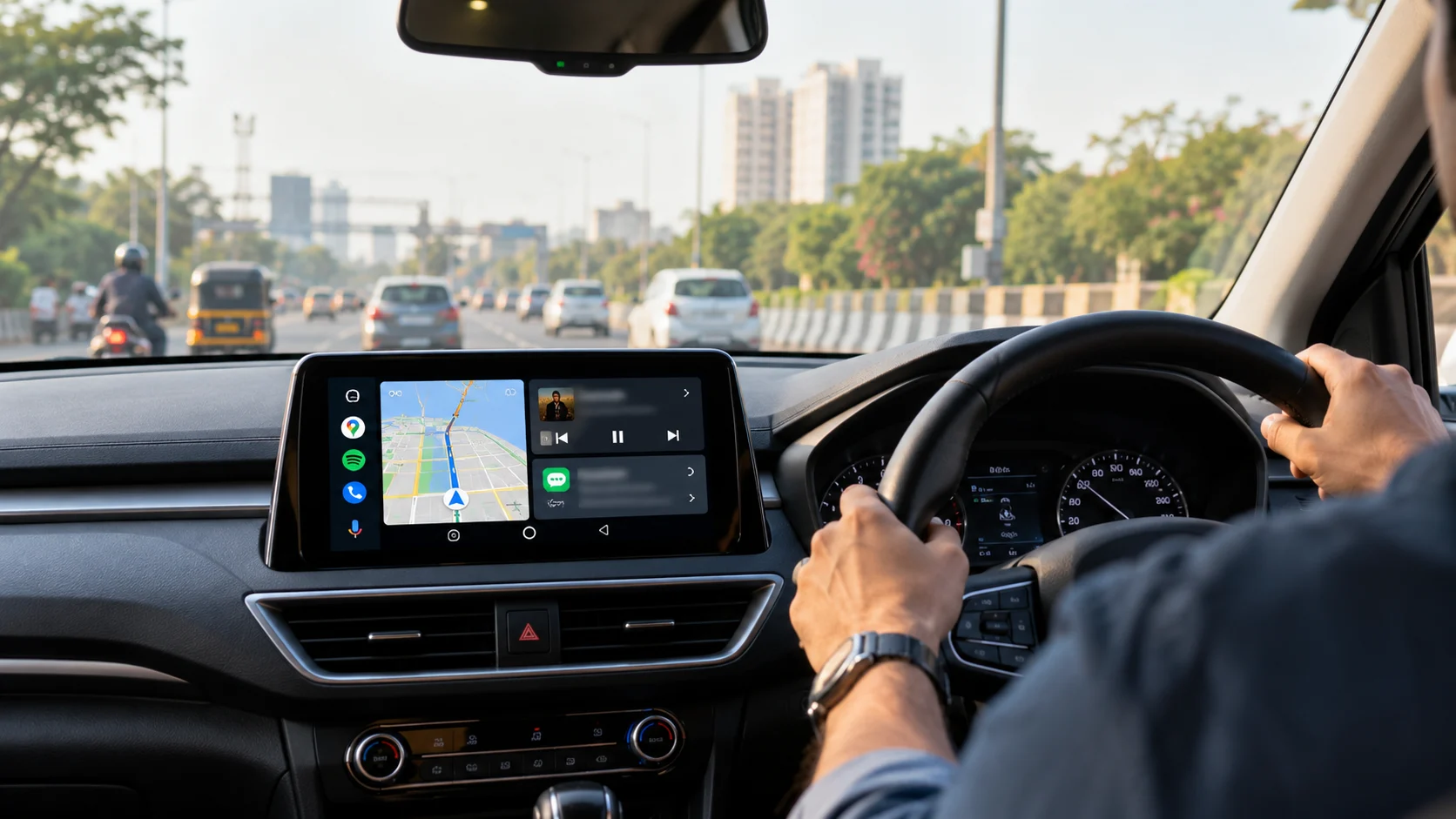
Android Auto can make everyday driving more convenient by bringing compatible smartphone apps to your car’s infotainment display. From navigation and real-time traffic updates to music, podcasts, audiobooks, messaging and electric vehicle charging, the right apps can help drivers get more from their daily commutes and road trips.
Some of the most useful Android Auto apps in 2026 include Google Maps, Waze, Spotify, YouTube Music, Amazon Music, Pandora, Pocket Casts, Audible, Google Messages, WhatsApp and ChargePoint. Each serves a different purpose, so the best combination depends on your driving habits, preferred entertainment services and vehicle.
Here are 11 useful Android Auto apps worth considering, along with their main features and what to know before using them.
1. Google Maps: Best for Everyday Navigation
Google Maps is one of the most practical apps for Android Auto because it combines turn-by-turn navigation with traffic information and destination searches. Drivers can use it to find addresses, restaurants, gas stations, parking facilities and other points of interest without relying on a separate navigation device.
The app can suggest routes based on current traffic conditions and provide estimated arrival times. Voice guidance helps drivers follow directions while keeping their attention on the road.
Google Maps also supports downloaded offline maps on compatible devices. These can be helpful when mobile data coverage is unreliable, although live traffic information and some online features may be unavailable without an internet connection.
Best for: Daily commutes, unfamiliar roads, road trips and finding nearby destinations.
2. Waze: Best for Traffic and Road Alerts
Waze is a useful alternative to Google Maps for drivers who want community-reported traffic information. Depending on available reports and local conditions, the app can alert drivers to accidents, road hazards, congestion and road closures.
Its routing features can help drivers identify alternative routes when traffic conditions change. Waze is particularly useful for urban commutes and trips through busy areas where congestion can significantly affect travel time.
However, community reports may not always be complete or up to date. Drivers should follow legal road signs and instructions rather than relying exclusively on navigation alerts.
Best for: Commuters, busy city roads and drivers who frequently encounter changing traffic conditions.
3. Spotify: Best for Music and Audio Entertainment
Spotify is a popular choice for drivers who want access to music, playlists, podcasts and other audio content through Android Auto. Its compatible car interface makes it easier to resume playback, select saved content and control audio without navigating the full smartphone interface.
Drivers can prepare playlists before leaving home and use voice commands to request compatible content. Downloaded music may also be available offline with an eligible subscription, depending on the content and account settings.
Spotify offers both free and paid plans, but the available features and playback experience can vary by plan, country and account.
Best for: Daily music listening, personalized playlists and audio entertainment on long journeys.
4. YouTube Music: Best for Music Library Access
YouTube Music is another practical option for Android Auto users who prefer Google’s music streaming service. It provides access to music, albums, playlists and other audio content, with recommendations that can help users discover new tracks.
The app is especially convenient for people who already use YouTube Music on their smartphones or have organized their music libraries around the service. Compatible playback controls allow drivers to manage their listening experience through the car display or supported voice commands.
Some features, including offline listening and background playback, depend on the user’s subscription, account and regional availability. Drivers should configure their preferred music and playlists before starting a trip.
Best for: YouTube Music subscribers and drivers who want personalized music recommendations.
5. Amazon Music: Best for Amazon Music Subscribers
Amazon Music is worth considering for drivers who already use Amazon’s audio streaming service. Its Android Auto compatibility allows users to access supported music content through the vehicle’s infotainment display.
Depending on the subscription, region and content rights, users may be able to access playlists, albums, stations and other listening options. Voice commands can make it easier to request music without manually searching through the phone while driving.
Before a long trip, users should check that they are signed in and that their preferred content is available under their current plan. Subscription requirements and catalog availability can vary.
Best for: Existing Amazon Music users who want their preferred audio service in the car.
6. Pandora: Best for Personalized Radio
Pandora is a useful Android Auto option for listeners who prefer personalized radio stations over selecting individual albums or playlists. Its music discovery features can help users find tracks based on artists, songs and listening preferences.
Through its compatible Android Auto interface, drivers can access supported audio controls while keeping more attention on driving. Pandora can be particularly convenient for people who want music playing in the background without continually choosing what comes next.
Available features, advertisements and listening limits depend on the service plan and market. Drivers should confirm which Pandora features are available in their region.
Best for: Personalized radio stations and discovering music with minimal interaction.
7. Pocket Casts: Best for Podcast Listeners
Pocket Casts is a dedicated podcast app that supports Android Auto. It helps users discover shows, manage their podcast libraries and listen to episodes while commuting or traveling.
The app is useful for people who regularly follow news briefings, educational programs, interviews or entertainment podcasts. Users can organize their listening preferences before a drive and continue episodes through the car’s audio system.
Downloading podcast episodes in advance can reduce reliance on mobile data during trips. The availability of specific playback and library features may vary by app version and account settings.
Best for: Regular podcast listeners, commuters and people who enjoy educational audio content.
8. Audible: Best for Audiobooks
Audible is a strong option for drivers who prefer audiobooks to music or podcasts. It provides access to an audiobook library, allowing users to continue listening to books through compatible Android Auto controls.
Audiobooks can make longer journeys more engaging, whether a listener prefers fiction, biographies, history or professional development. Using playback controls from the car display can also make it easier to pause and resume listening when needed.
Audible’s catalog, membership benefits and purchasing options depend on the account and country. Users should download eligible titles before traveling through areas with unreliable mobile coverage.
Best for: Long-distance drivers, audiobook enthusiasts and people who enjoy learning while traveling.
9. Google Messages: Best for Text Messaging
Google Messages helps Android Auto users manage supported text-message conversations through a compatible car interface. Depending on device settings and available features, drivers can hear incoming messages and respond using voice input.
Voice-based messaging can be useful when an important conversation needs attention during a journey. However, drivers should avoid lengthy exchanges, and any message that requires substantial attention should wait until the vehicle is safely parked.
Message availability and supported conversation features depend on the connected phone, app configuration and network. Users should review notification permissions and messaging settings before getting behind the wheel.
Best for: Drivers who need convenient access to compatible text messages during a commute.
10. WhatsApp: Best for Staying Connected
WhatsApp is useful for drivers who rely on the messaging service to communicate with friends, family and colleagues. On compatible Android Auto setups, supported features can help users interact with messages through voice-based controls rather than repeatedly handling a smartphone.
Drivers may be able to hear incoming messages and dictate supported replies, depending on device compatibility and available functionality. Voice interaction is generally more appropriate than reading or typing messages on a screen while driving.
Users should make sure WhatsApp is updated, notifications are configured correctly and the connected device has the required permissions. Available functions may differ according to app version, region and system settings.
Best for: Drivers who regularly use WhatsApp for personal or work-related communication.
11. ChargePoint: Best for Electric Vehicle Charging
ChargePoint is a useful addition for electric vehicle owners who need to locate charging stations during their journeys. Its Android Auto integration can bring charging information to the vehicle’s infotainment display, helping compatible users find charging options without repeatedly switching between phone screens.
The app can provide information about charging locations and station availability, although coverage, network access and individual station details vary. Drivers should check connector compatibility, charging speed, access rules and pricing before selecting a station.
ChargePoint is particularly helpful for planning longer EV journeys, but it should not be assumed that every charger is available, operational or compatible with every vehicle.
Best for: Electric vehicle owners who want easier access to charging information while traveling.
Important Android Auto Update for 2026
On October 13, 2026, Google announced a redesigned Google Play app experience and additional entertainment features for vehicles with Google built-in. The announcement included plans for more in-car apps and a YouTube feature that allows audio to continue when a vehicle shifts from park to drive.
There is an important distinction between Google built-in and Android Auto. Android Auto brings compatible apps from a connected phone to a vehicle’s display, while cars with Google built-in run supported apps through the vehicle’s own software. Google has not announced that the newly described YouTube playback feature is coming to Android Auto as part of the same update.
Android Auto users should therefore check the capabilities of their particular vehicle and connected phone rather than assuming that every new Google built-in feature is available in Android Auto.
How to Find and Install Compatible Android Auto Apps
Installing an app on an Android phone does not automatically mean it will appear on the car’s screen. Android Auto displays apps that support its in-car experience, and availability can depend on the phone, software version, country and app developer.
To find compatible apps, open Google Play on your Android phone and look for apps that support Android Auto. Google’s official Android Auto app directory is another place to check compatibility. You may need to be signed in to your Google Account and have the relevant personalization setting enabled to see the full compatible app selection in Google Play.
After installing an app, sign in where necessary, review its permissions and connect your phone to a compatible vehicle. Some services also require a paid subscription for particular features.
Which Android Auto Apps Should You Install First?
For most drivers, Google Maps is a sensible starting point for navigation, while Waze is worth trying if community-reported traffic and road alerts are important. Spotify, YouTube Music, Amazon Music and Pandora provide different ways to listen to music, while Pocket Casts and Audible are useful for podcasts and audiobooks.
Google Messages and WhatsApp can simplify supported messaging tasks, and ChargePoint can be valuable for EV owners. There is no need to install every app. Start with the tools that match your actual driving routine and keep the car interface focused on what you need most.
Above all, use voice controls where practical, prepare your apps before departing and avoid interacting with the screen when doing so could distract you. No app is worth compromising road safety.